
Quality Products

At a Fair Price

Wholesale Provider

Of Valves & Fittings

  • Corporate Office: 1301 Greengrass Drive Houston, TX 77008
  • 1-800-237-2512

Quality Products

At a Fair Price

Wholesale Provider

Of Valves & Fittings

How to Choose the Right Cat5 Extender for Your Needs?

Choosing the right Cat5 Extender starts with the cable already in your walls, not the longest distance printed on a product box. A unit that suits a small office may struggle in a workshop with old cable, electrical noise, or several connected devices. Check the extender’s supported cable type, maximum reach, data rate, and power requirements. Then compare those limits with your actual layout.

Network author Andrew S. Tanenbaum wrote, “The nice thing about standards is that you have so many to choose from.” His observation is a useful reminder: matching standards and equipment matters. Confirm that both ends support the same technology, and check whether the extender carries Power over Ethernet if your access point or camera needs it. Small details matter. A stated maximum distance is not a promise of full speed under every condition. Cable quality, connectors, and installation can change results.

Think about the device you need to connect, the bandwidth it uses, and whether the link must remain stable all day. A quick cable test can reveal problems before you buy. It is easy to focus on reach alone; that is a tempting mistake. The right Cat5 Extender should fit the existing cable, deliver suitable performance, and work with your equipment. If those details remain uncertain, verify them with the manufacturer or a qualified network technician before installation.
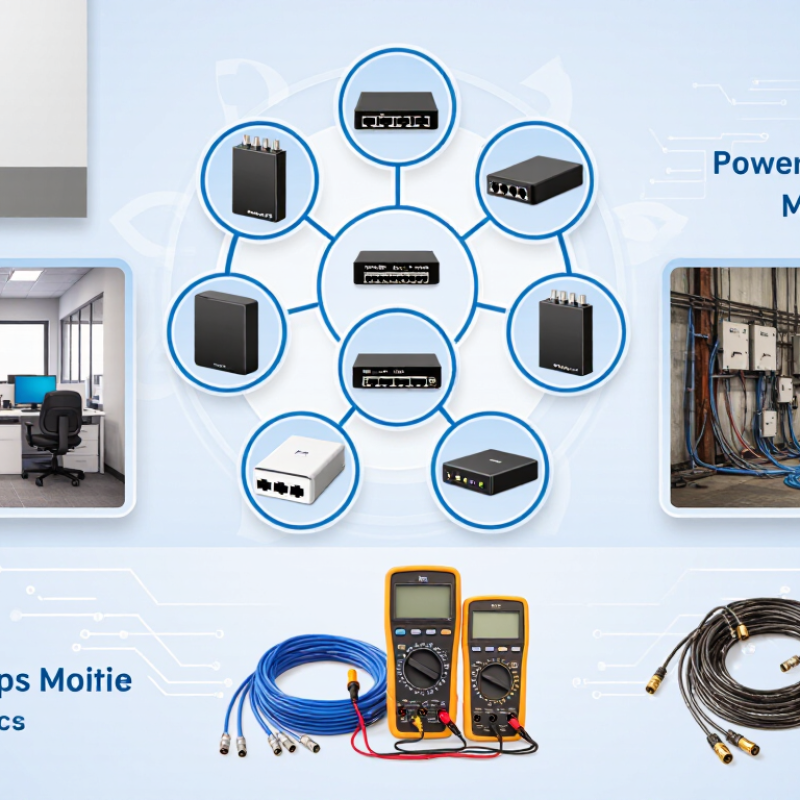
How to Choose the Right Cat5 Extender for Your Needs?

Understanding How Cat5 Extenders Work

A Cat5 extender carries Ethernet data across existing twisted-pair cable when a normal network link cannot reach the endpoint. It does not merely “boost” a signal. Depending on its design, a powered unit regenerates or converts the electrical signal, then reconstructs Ethernet traffic at the remote end. Some systems use one cable pair; others need a matched transmitter and receiver, with power at one or both ends. The exact method matters. An extender cannot repair broken pairs, severe interference, or poor terminations. A kinked cable behind a desk can be enough to cause trouble.

IEEE 802.3 specifies a 100-meter channel limit for 100BASE-TX and 1000BASE-T over balanced copper. TIA-568 guidance divides that channel into a 90-meter permanent link and up to 10 meters of patch cords. These are useful benchmarks, not guarantees for every extender. Beyond standard cable lengths, supported speed and distance depend on the unit, cable category, pair quality, and electrical noise. A straight 70-meter run with clean terminations may work better than a shorter, damaged cable bundled beside power wiring. Check the negotiated link speed at both ends, not just the connection light. A lit LED can hide retries or reduced throughput; real installations are rarely textbook-clean.

Identifying Your Distance and Signal Requirements

Choosing a Cat5 extender starts with measuring the actual cable route, not the straight-line distance between devices. Include vertical runs, patch leads, and detours around doors or equipment racks. ANSI/TIA-568.2-E sets the familiar 100-meter channel limit for balanced twisted-pair cabling. IEEE 802.3 also specifies 1000BASE-T operation over Category 5e cabling up to 100 meters. Beyond that baseline, an extender’s supported reach depends on its model, cable quality, and target data rate. Distance is only part of the picture.

Check what the connection must carry: ordinary data, video traffic, or power over Ethernet. Higher data rates and PoE can make cable condition more consequential, especially on old runs with tight bends or poorly terminated plugs. A cable tester can reveal wiring faults before installation; negotiated link speed and packet errors help verify performance afterward. A common planning mistake is choosing by advertised maximum distance alone. That figure may assume ideal cable and a lower throughput than your devices need. Leave margin. Real installations are rarely perfect.

Tips: Measure the longest route, then compare it with the extender’s published range at your required speed and PoE level. If the cable is near its limit, test the link under load and consider a shorter run or a more suitable extender. Record the cable category and measured length; it makes troubleshooting less guesswork.

Comparing Extender Types and Device Compatibility

Cat5 extenders differ in what they carry. HDMI-over-Cat5 kits send video and audio from a source to a distant screen. Ethernet extenders extend network connectivity, while PoE models may also carry power to a compatible device. They are not interchangeable. Check the product’s stated purpose before comparing range or price.

For an HDMI setup, match the extender to the source and display’s resolution, refresh rate, and copy-protection requirements. A 4K screen cannot guarantee a 4K signal if the extender supports less. Some kits need two cables; others use one. Check the required cable category, wiring standard, and maximum tested distance. Keep the run away from power cables where practical, and use solid-core cable for fixed in-wall runs when specified. Small details matter.

For Ethernet or PoE, confirm link speed, supported power level, and whether the extender needs a local power supply. A camera may connect but still fail if the PoE budget is too low. Also check whether the device expects a direct cable run or supports switches in between. Compatibility charts help, but they do not cover every installation. Cable quality, connectors, and interference can change results. Real-world range can disappoint. Test the planned devices and cable length before making a permanent installation.

Checking Installation Conditions and Power Needs

Before choosing a Cat5 extender, measure the actual cable route, not the straight-line distance. Include patch cords, wall jacks, and any existing couplers. TIA-568.2-D specifies a 100-meter maximum channel for balanced twisted-pair cabling. An extender may extend a link, but it does not erase poor terminations or damaged cable. Check the cable category, conductor type, and condition at both ends. A long run beside fluorescent lighting or motors may also face interference. Small details matter.

Power needs deserve the same care. IEEE 802.3af sets a maximum of 15.4 watts at the power-sourcing equipment and 12.95 watts at the powered device. That difference matters when an extender draws power before passing it along. Check the extender’s input method and its downstream power budget against the attached device’s requirements. For example, a camera may restart when its heater or infrared lighting switches on. Test under that load, not just at idle. I would recheck the figures after installation; cable length estimates and labels are sometimes wrong. A short test can reveal a real problem.

How to Choose the Right Cat5 Extender for Your Needs? - Checking Installation Conditions and Power Needs

Installation condition Cable and distance to check Suitable extender approach Power considerations Practical selection guidance
Standard Ethernet link within the normal cabling limit Use a continuous, correctly terminated cable run. A standard Ethernet channel is limited to 100 m (328 ft), including patch cords. An extender may not be needed. Use compatible Ethernet equipment at each end. Check whether endpoint devices use local power or Power over Ethernet (PoE). Measure the complete channel length before buying an extender. Do not count only the cable hidden in walls.
Run exceeds 100 m but the route can be divided into powered sections Plan each ordinary Ethernet segment to stay within 100 m, including patch cords. Use an active Ethernet repeater or switch between segments, if a suitable powered location is available. The intermediate device usually needs local power unless it is specifically designed to be powered over the link. Confirm that the chosen device supports the required data rate and that its placement is accessible for maintenance.
Long run with no convenient power outlet at the intermediate point Measure the route and check cable condition, connectors, and environmental exposure. Consider a purpose-built long-reach Ethernet extender; its maximum reach and data rate are model-specific. Check whether power is required at one end or both ends, and whether the extender can supply power to the remote device. Use the manufacturer’s distance-versus-speed and power-budget specifications. A long-reach rating is not the same as a standard 100 m Ethernet segment.
Remote camera, access point, or other PoE device Check the full cable path and verify that the cable is suitable for the required Ethernet speed and PoE load. Choose a PoE-capable extender only if it supports the required PoE standard, data rate, and pass-through arrangement. IEEE 802.3af provides up to 15.4 W at the power-sourcing equipment (PSE); IEEE 802.3at provides up to 30 W. The power available to the device is lower after cable and equipment losses. Compare the remote device’s power requirement with the extender’s available output, not just its input rating. Allow for cable loss and any additional PoE devices.
Gigabit Ethernet is required Use Cat5e or better cabling for a typical 1000BASE-T installation, and keep each standard segment within 100 m. Select an extender that explicitly supports 1 Gbit/s at the required distance. Check power needs separately; Gigabit support does not guarantee PoE support. Verify speed at the full installed distance. Some long-reach devices reduce throughput as distance increases.
Outdoor, damp, hot, or electrically noisy installation Check whether the cable is rated for the location and inspect the route for moisture, temperature extremes, and nearby electrical interference. Use equipment and enclosures rated for the installation environment; consider fiber for difficult or electrically noisy routes. Confirm the power supply and enclosure are suitable for the temperature and moisture conditions. Do not assume ordinary indoor cable or an indoor-rated extender is suitable outdoors. Follow local electrical and building requirements.

Note: Distance and throughput for active extenders vary by design, cable quality, and installation conditions. Check the specific device documentation and test the completed link before relying on it.

Balancing Reliability, Cost, and Future Expansion

Choosing a Cat5 extender means balancing link stability against purchase and installation costs. Start with the actual cable route, not the straight-line distance between devices. Check the extender’s supported speed at that distance, since maximum ratings may assume ideal cable. A long, kinked run or loose termination can reduce reliability. Small details matter.

For a camera or access point, confirm whether the extender supplies power over Ethernet and how much power it supports. Compare that with the device’s requirements. A cheaper unit may fit today’s setup, but a failed link can cost more in troubleshooting time. Check the cable condition and test the connection under normal load before committing to a permanent installation. I would not treat a brief link light as proof of stable performance.

Think about what might be added later: another device, higher-resolution video, or greater data demand. Leave room in the bandwidth and power budget, and check whether the extender supports the needed ports or expansion method. Replacing equipment early is not always wasteful, though planning for every imagined upgrade can inflate costs. A modest margin is usually more practical. Keep some margin.

How to Choose the Right Cat5 Extender for Your Needs?

Balancing Reliability, Cost, and Future Expansion

These reference points compare common Ethernet rates over a 100-meter channel: Cat5 supports 100 Mbps, Cat5e and Cat6 support 1 Gbps, and Cat6A supports 10 Gbps. Cat6 can support 10 Gbps over shorter distances—typically up to 55 meters—and Cat5e may support 2.5 Gbps on compliant links. Ethernet channel limits and extender performance depend on the applicable standard and equipment. Check the extender’s specified distance, throughput, power requirements, and compatibility before choosing; consider higher-capacity cabling if future upgrades are likely.

Top
error: Content is protected !!