
Quality Products

At a Fair Price

Wholesale Provider

Of Valves & Fittings

  • Corporate Office: 1301 Greengrass Drive Houston, TX 77008
  • 1-800-237-2512

Quality Products

At a Fair Price

Wholesale Provider

Of Valves & Fittings

How to Choose the Right Dual Frequency Card?

Choosing a Dual Frequency Card can seem straightforward: one card, two frequency bands, broader compatibility. In practice, the right choice depends on the readers and systems already in use. Many cards combine 125 kHz and 13.56 MHz technologies, but frequency alone does not guarantee that a card will work. The supported chip, communication protocol, and reader configuration matter too. Check the equipment documentation before comparing products. A quick test with the actual reader is even better.

Start with the intended use. Is the card for building access, identification, or another compatible application? Confirm the required frequency, chip type, and supported standards with the system provider. Ask whether both technologies must work on the same card, and whether the card’s dimensions, durability, and printing options suit daily use. Small details count. A card that looks right in a catalogue may fail at the door.

Reliable selection also means checking who made the card and what evidence supports its specifications. Request a datasheet, compatibility list, and clear warranty terms from a reputable supplier. Avoid relying on broad claims such as “works with all readers”; systems differ, and product descriptions can leave important gaps. That sounds simple. It isn’t always. If requirements are uncertain, pause and ask a qualified installer or system administrator to verify them. A little extra checking can prevent a box of cards from becoming an expensive mistake.
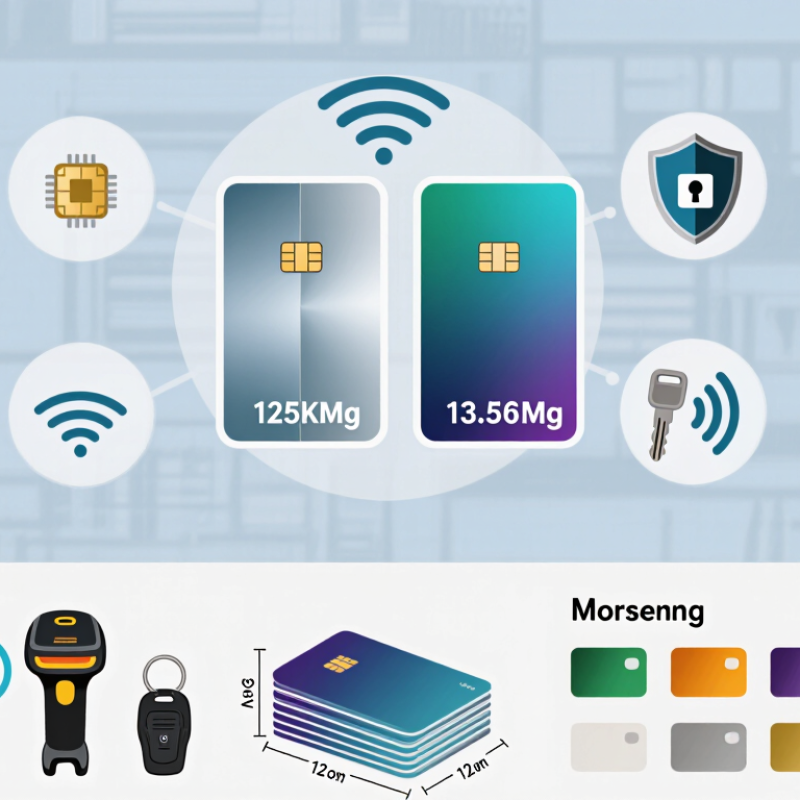
How to Choose the Right Dual Frequency Card?

Define the Intended Use and Operating Environment

A dual-frequency card is useful only when its two frequencies match real tasks. List every reader it must work with, then confirm the card’s frequency bands, protocols, and memory requirements. A door reader and a self-service kiosk may look similar but use different systems. Check both. Grand View Research valued the global RFID market at USD 14.5 billion in 2023 and projected 11.9% annual growth through 2030. That expansion reflects varied applications, not a universal card standard; compatibility still needs testing.

Map the operating environment before choosing a card. Will people tap it near metal turnstiles, carry it against a phone, or use it outdoors in rain? Metal and nearby electronics can affect read performance, while moisture and repeated bending can shorten service life. Ask suppliers for test results under conditions close to yours, including read distance and temperature range. Then trial cards on the actual readers, not just a desk sample. Small differences matter. A card that reads reliably in a quiet office may behave differently beside a crowded entrance. I would also review replacement costs and failure records; teams often underestimate them. The best choice is the one that performs consistently in the intended setting, even if its specification sheet looks less impressive.

How to Choose the Right Dual Frequency Card?

Define the Intended Use and Operating Environment

How to use this comparison: Common LF access systems operate at 125 kHz, while HF and NFC systems operate at 13.56 MHz. Choose a card that matches the readers and applications already in use; confirm compatibility and environmental requirements with the system specifications.

Identify the Required Frequencies and Communication Protocols

A dual-frequency card can support two bands, but that does not guarantee it will work with your reader. Common combinations include 125 kHz and 13.56 MHz. Check the exact frequencies in the reader’s documentation before choosing a card. Small differences matter.

Frequency is only half the match. Confirm the communication protocol, such as ISO/IEC 14443 or ISO/IEC 15693, and check whether the reader supports the card’s specific type. A 13.56 MHz reader, for example, may not communicate with every card using that frequency. Also verify how the system handles card identifiers and stored data. These details can affect access setup and existing equipment.

I have learned not to rely on a frequency label alone. A specification sheet can leave out useful details, so ask the supplier for protocol information and test a sample with your actual reader. Check performance at the intended distance, especially if cards will be placed behind a phone case or held near other cards. That setup may behave differently. Record the reader model, supported protocols, and tested card type before ordering in quantity.

Check Compatibility with Readers and Existing Systems

A dual frequency card can communicate on two frequency bands, but that alone does not guarantee it will work with your readers. Check each reader’s supported frequencies and communication protocols against the card’s specifications. A reader may support the right bands yet still reject a card that uses a different protocol or credential format. Confirm that your access system can enroll and recognize the card’s identifier, too.

Compatibility can vary across doors. Older readers, lobby terminals, and newer entry points may not share the same capabilities. Check equipment documentation, then ask your system administrator or installer to verify the card type and configuration. If possible, test a sample card on representative readers and confirm successful enrollment before ordering in quantity. A quick desk test is useful, but it may miss differences between doors.

Tips: Record reader models and card requirements. Test both frequency functions, where relevant, and confirm the system accepts the credential data. Don’t rely on frequency labels alone. It is tempting to assume a dual frequency card will bridge every older system; that assumption can be wrong. Compatibility details are sometimes unclear, so verify them in writing.

How to Choose the Right Dual Frequency Card? — Check Compatibility with Readers and Existing Systems

Compatibility Check Common Options or Facts What to Verify Why It Matters
Low-frequency (LF) technology Many access credentials operate around 125 kHz. Implementations may use different modulation, data formats, and credential numbers. Confirm the reader supports the card’s specific LF format—not just the 125 kHz frequency. Matching frequency alone does not guarantee that a reader can decode or use a credential.
High-frequency (HF) technology Common HF card technologies operate at 13.56 MHz. Standards include ISO/IEC 14443 and ISO/IEC 15693, with different variants and data structures. Check the reader’s supported standard, card type, and any required protocol variant. A 13.56 MHz reader may support some HF cards but not others.
Reader support for both frequencies A dual-frequency card typically contains separate LF and HF functionality. A reader may support one frequency, both frequencies, or selected technologies within each frequency. Review the exact reader model and configuration, including supported card technologies and firmware. A card cannot use a frequency or protocol that the reader does not support.
Credential data and number format Systems may use a card serial number, facility and card numbers, or application data. Number length and bit format can vary. Ask which number the reader outputs and whether the access-control system accepts its length, format, and byte order. Technically readable cards can still fail enrollment or be interpreted as the wrong credential.
Secure HF application Some HF cards use protected application data, authentication, or diversified keys; others provide only limited or non-secure identification data. Confirm that the reader and system support the required authentication method, keys, and application configuration. Matching the card’s frequency or standard does not provide access to protected data automatically.
Existing system enrollment Access systems generally require each credential to be registered with the correct identifier and permissions. Check whether existing enrollment tools can read and enroll the card’s chosen credential, or whether records must be updated. A compatible reader does not automatically make a new credential valid in the access-control database.
Use of both frequencies Dual-frequency capability can support different readers or a migration between technologies. The two interfaces are not necessarily read simultaneously. Determine which interface each reader will use and how the system will manage duplicate or different identifiers. Planning avoids conflicting records and helps ensure consistent operation during a system transition.
Physical card requirements Cards are available in different form factors and materials, with varying printability, durability, and mounting options. Check dimensions, thickness, printing needs, environmental conditions, and any required card accessories. Physical fit and durability are separate from electronic compatibility.
Practical compatibility test A controlled test can confirm reading, data output, enrollment, and access decisions using the intended reader and system. Test representative cards on each reader type and verify the displayed credential number and access result before bulk ordering. Testing catches configuration and data-format issues that a frequency list alone may not reveal.

Compare Security Features, Capacity, and Card Materials

How to Choose the Right Dual Frequency Card?

Compare Security Features, Capacity, and Card Materials

A dual frequency card can support two different operating frequencies, but that alone does not guarantee stronger security. Check how each system authenticates users, protects stored data, and manages encryption keys. Ask the supplier for test documentation and confirm that the card works with your existing readers. A card may sound secure on paper. Compatibility matters.

Capacity means more than the number of frequencies. Review how many credentials or applications the chip can hold, and whether its memory suits your access system. If you only need one credential per person, extra capacity may add cost without much value. For a busy site, test a sample card at the actual reader distance and check response time. Specifications can be easy to misread; I would verify them with a small pilot before ordering in bulk.

Tips: Match the card material to daily use. PVC is common and economical, while PET or composite options may better withstand heat, bending, or frequent handling. Check thickness, print quality, and whether the card will sit near metal or other interference sources. A card that looks sturdy can still crack at the slot. Choose based on real conditions, not appearance alone.

Verify Specifications and Test the Card Before Purchase

How to Choose the Right Dual Frequency Card?

Verify Specifications and Test the Card Before Purchase

A dual frequency card may combine low-frequency RFID with 13.56 MHz technology, but “dual frequency” alone proves little. Request the exact chip types, supported protocols, memory capacity, and operating frequencies in writing. ISO/IEC 14443 specifies 13.56 MHz contactless card communication, while ISO/IEC 18000-2 covers RFID below 135 kHz. These standards help you compare specifications, but they do not confirm that a card will work with your readers.

Check whether the supplier’s test results identify the card and reader models used. A vague compatibility claim is not enough.

Test both bands. Use the actual readers and check several cards, not just one sample. Record successful reads, failed reads, and read distance at different angles. Test near metal surfaces and inside the intended holder; both can affect performance.

NIST’s SP 800-98 RFID security guide recommends evaluating RFID systems in their operating environment, rather than relying on component claims alone. Keep a simple test log with dates, reader settings, and results. It may feel excessive for a small order, but it can expose inconsistent cards before they reach staff or customers. And yes, a polished datasheet can still miss a practical detail.

Top
error: Content is protected !!